Welcome to Finding the One Online!
I’m really excited about all of this material and hope you get a lot out of it. I’ve provided instructions showing you how to access all of these products. Just follow the 7 steps below.Because you acted quickly and took advantage of this special offer, you also have access to all the bonus material. These products and instructions are also included on this page. So before you dive right into “Finding The One Online”, make sure you complete all 6 steps so you can get all of your products and save them for later.
However, if you can’t finish downloading them now, this page will always be available for you in your personal Love U account under the My Products link in the main menu.
-
-
1Download Your Finding The One Online Audio
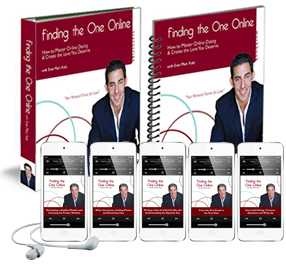
Download your audio by clicking on the download links below. In most browsers the download will begin automatically. Some browsers may behave differently, find your browser in the list below for specific instructions:- Microsoft Internet Explorer: A window will open that will ask if you want to “Open” or “Save” the file. Selct “Save” and in the new window that opens, select your Desktop and then hit “OK.”
- Mozilla Firefox: A window will open that will ask if you want to “Open with” or “Save File”. Select “Save” and the file will begin downloading automatically to your downloads folder.
- Safari: The file will automatically start downloading and the downloads window will open up and show the progress. If you do not see the downloads window, select “Window” and then “Downloads” from the menu, and the download window will open.
- Google Chrome: The file will automatically start downloading and a progress window will appear along the bottom of the browser.
Finding The One Online (FTOO) – Digital Edition
For Firefox, Safari, and Google Chrome users, to add these files to your iTunes, just click on the file in the downloads window after it has finished downloading. iTunes will open and the file will automatically be added to your library.
For Internet Explorer users, all you need to do is navigate to your desktop, and double click on each file, for example “FTOO-Volume1-HealthyMindset.mp3“. iTunes will open and the file will automatically be added to your library.
Alternatively you can also do the following:
- Open iTunes. While in iTunes select “File” and then “Add To Library” to add the audio to your library.
- Find the file you just saved on your desktop, it will be called “FTOO-Volume1-HealthyMindset.mp3” and select “Choose”
- The audio will be imported into your music library, and next time you synch your iPod you’ll have this track on your device so you can listen to it on the go!
-
-
2Download Your Finding The One Online Audio Transcript
A. Download the transcript by RIGHT CLICKING belowFinding The One Online Audio Transcript
B. After you RIGHT CLICK on the link, you’ll be given a menu of options to choose from. Check to see which browser you’re using, and then find that browser on the list below to learn how to save Finding The One Online to your computer desktop.
- Microsoft Internet Explorer: Select “Save Target As…” In the new window that opens, select your Desktop and then hit “Save“
- Mozilla Firefox: Select “Save Link As…” In the new window that opens, select your Desktop and then hit “Save“
- Safari: Select “Download Linked File” In the new window that opens, select your Desktop and then hit “Save“
- Google Chrome: Select “Save Link As…” In the new window that opens, select your Desktop and then hit “Save“
C. Minimize your browser window, and navigate to your desktop, where you saved your file “FindingTheOneTranscript.pdf“. Open this file by double clicking on it.
- You’ll need Adobe Acrobat Reader to read this file, which you can get for FREE by visiting www.adobe.com.
-
3Download Your Finding The One Online Workbook
A. Download the eBook by RIGHT CLICKING belowFinding The One Online Workbook
B. After you RIGHT CLICK on the link, you’ll be given a menu of options to choose from. Check to see which browser you’re using, and then find that browser on the list below to learn how to save Finding The One Online to your computer desktop.
- Microsoft Internet Explorer: Select “Save Target As…” In the new window that opens, select your Desktop and then hit “Save“
- Mozilla Firefox: Select “Save Link As…” In the new window that opens, select your Desktop and then hit “Save“
- Safari: Select “Download Linked File” In the new window that opens, select your Desktop and then hit “Save“
- Google Chrome: Select “Save Link As…” In the new window that opens, select your Desktop and then hit “Save“
C. Minimize your browser window, and navigate to your desktop, where you saved your file “FindingTheOneWorkbook.pdf“. Open this file by double clicking on it.
- You’ll need Adobe Acrobat Reader to read this file, which you can get for FREE by visiting www.adobe.com.
Bonus Materials!
The remaining instructions explain how to download and access all of the great bonus material you have access to.
-
4Download The Top 10 Mistakes You’re Definitely Making…

A. Download the eBook by RIGHT CLICKING below:The Top 10 Mistakes You’re Definitely Making Online eBook
B. After you RIGHT CLICK on the link, you’ll be given a menu of options to choose from. Check to see which browser you’re using, and then find that browser on the list below to learn how to save “The Top 10 Mistakes…” to your computer desktop.
- Microsoft Internet Explorer: Select “Save Target As…” In the new window that opens, select your Desktop and then hit “Save“
- Mozilla Firefox: Select “Save Link As…” In the new window that opens, select your Desktop and then hit “Save“
- Safari: Select “Download Linked File” In the new window that opens, select your Desktop and then hit “Save“
- Google Chrome: Select “Save Link As…” In the new window that opens, select your Desktop and then hit “Save“
C. Minimize your browser window, and navigate to your desktop, where you saved your file “Top-10-Mistakes-Online-Dating.pdf“. Open this file by double clicking on it. You should see the cover to “The Top 10 Mistakes…” Enjoy!
You’ll need Adobe Acrobat Reader to read this file, which you can get for FREE by visiting www.adobe.com.
-
5Bonus Interview “What Men Want”
 Listen to your bonus audio “What Men Want” Interview below, or click the download button to save the file to your computer.
-
6Bonus “How to Choose Your Ideal Long-Term Partner”
 Listen to your bonus audio “How to Choose Your Ideal Long-Term Partner” below, or click the download button to save the file to your computer.
 Thank you so much for giving me the opportunity to share my insights with you, and change your understanding of men. I hope you get a lot of value out of my products, and I look forward to hearing from you in the future!
Warmest wishes,
Your friend,
